Day 1
One print file for the whole duck
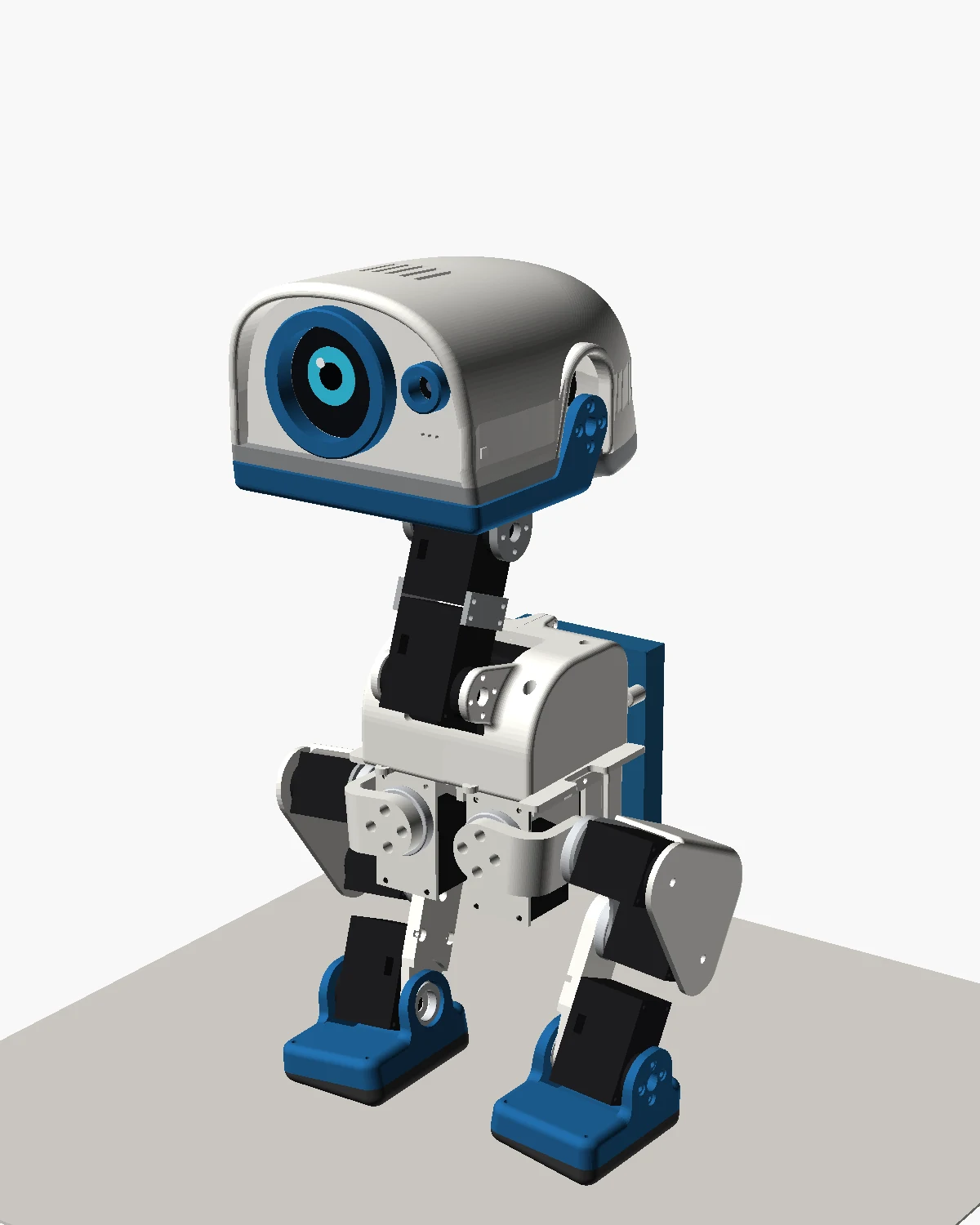
Luwu publish 27 loose STLs. By the evening they were one Bambu Studio project: every part oriented, grouped by colour, then split into 17 small plates with fine settings, and a render of the whole robot to check it all fits.
The XGO-Duck hardware repository has 27 STL files. Files starting "2x_" need printing twice, so it's about 36 parts. There are no print profiles yet: that's on Luwu's to-do list. So the first job was turning the STLs into something that could go straight to the printer.
Picking an orientation for every part
A small script tries each part lying on each of its six sides, and also on its biggest flat faces. For each pose it adds up the overhang (any surface facing more than 45° downwards that isn't on the bed) and the area touching the bed, and picks the pose with the least to support and the most to stand on. One part, the grey head base plate, got turned over by hand so it lies flat.
Writing the project file directly
Rather than dragging 36 parts into Bambu Studio, another script writes the whole .3mf project from scratch: the meshes, the plates, which part goes on which plate, which filament each one uses, and every print setting. The settings start from Bambu's own "0.12mm Fine" profile for the H2D, copied into the file, so Studio and its command-line slicer give the same answer. Then the command line slices every plate and reports the time and grams for each.
The first version grouped everything by colour on four plates: about 5 hours of white, 2 h 40 of grey, 1 h 43 of blue and an hour of TPU. Quick, but one failure would cost a whole plate of parts.
Then the slow version
With time to spare and a robot that should look right, the second version split it up: one big part or one matched pair per plate, 17 plates in all.
- Parts you see, the body and thigh shells, head band, bill and feet: 0.08 mm layers, three walls and scarf seams on the outside.
- Brackets, plates and links: 0.12 mm layers, four walls and 40% gyroid infill for strength.
- Everywhere: outer walls slowed to 60 mm/s, monotonic top surfaces, precise Z, and no ironing, because ironing makes matte filament blotchy.
That came to about 37 hours. The details, and how it changed over the next week, are on the print file page.
Checking it fits before printing it
Luwu's training code includes a simulation model of the robot. We used it to place every printed part into the duck's standing pose, by matching each STL's shape against the model's own meshes, and rendered the result. It's how we checked the parts all belonged together, and how the colours were chosen: matte white and grey, with Marine Blue for the bill, feet and eye ring.
The first print
The leg links (W8) went first, with plain white supports. They came out well apart from a rough underside to the little pocket at the tab tip. That started a three-print saga, and a change to how every supported part printed, which later turned out to be a mistake of its own.