Day 8
A screen for an eye, a camera for the other
The screen and the XIAO camera board arrived, so out came the calipers. Face plate v1 holds both. Getting there took a drooping lip, a wedge-shaped tab and a camera 4 mm off.
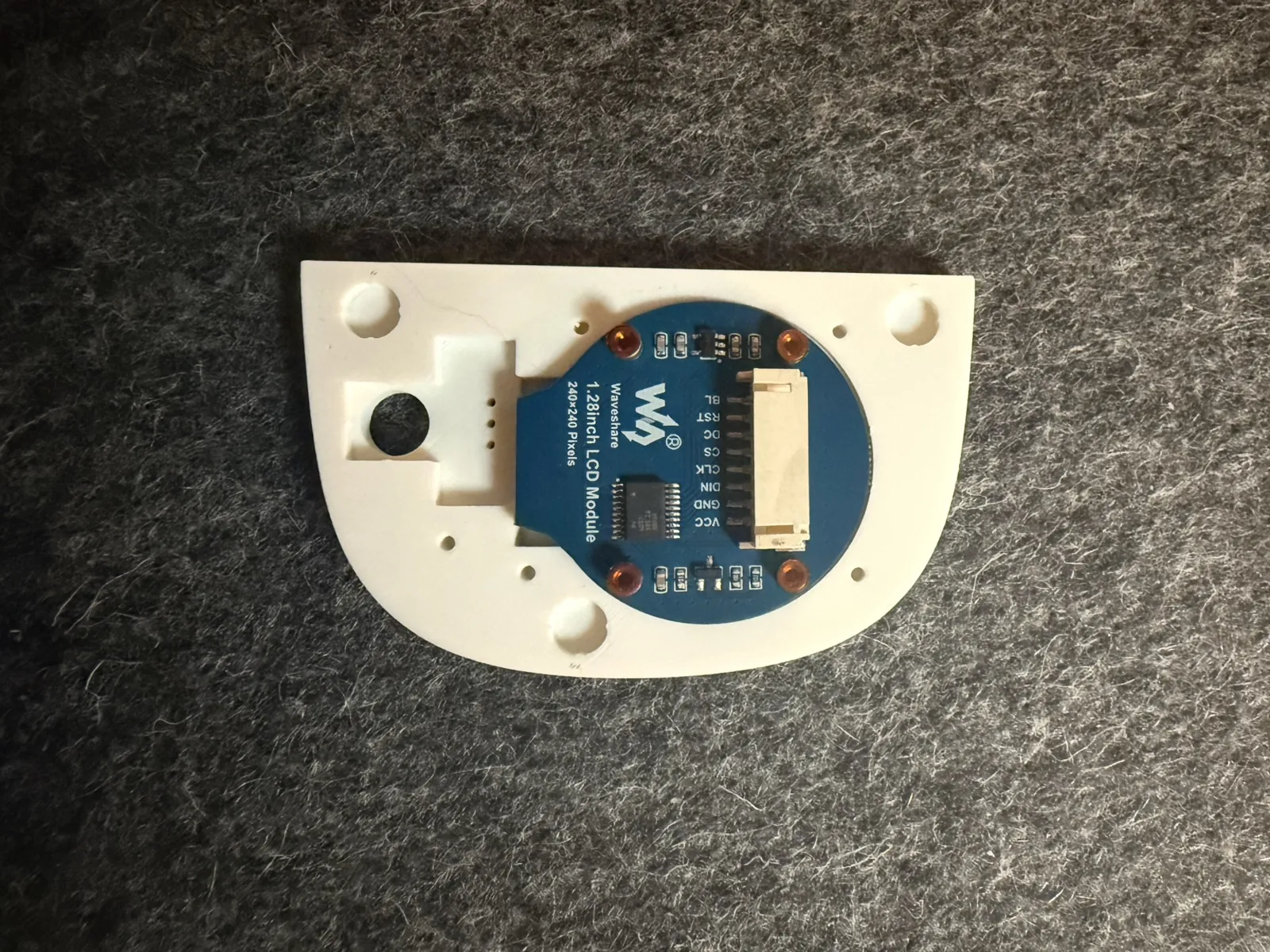
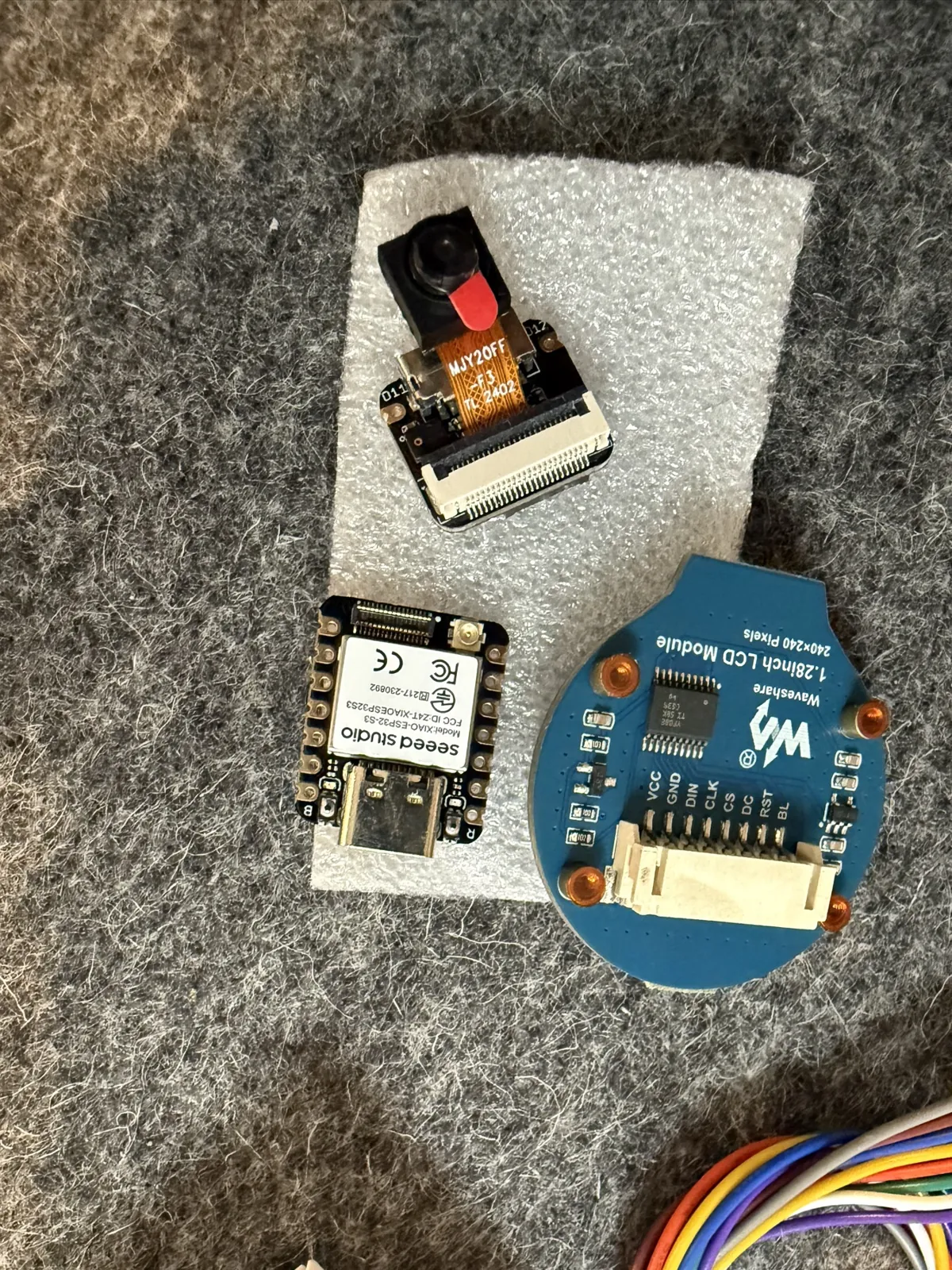
The Waveshare 1.28" round screen and the Seeed XIAO ESP32-S3 Sense both arrived, which meant the face could finally be designed round real parts instead of datasheets.
The screen
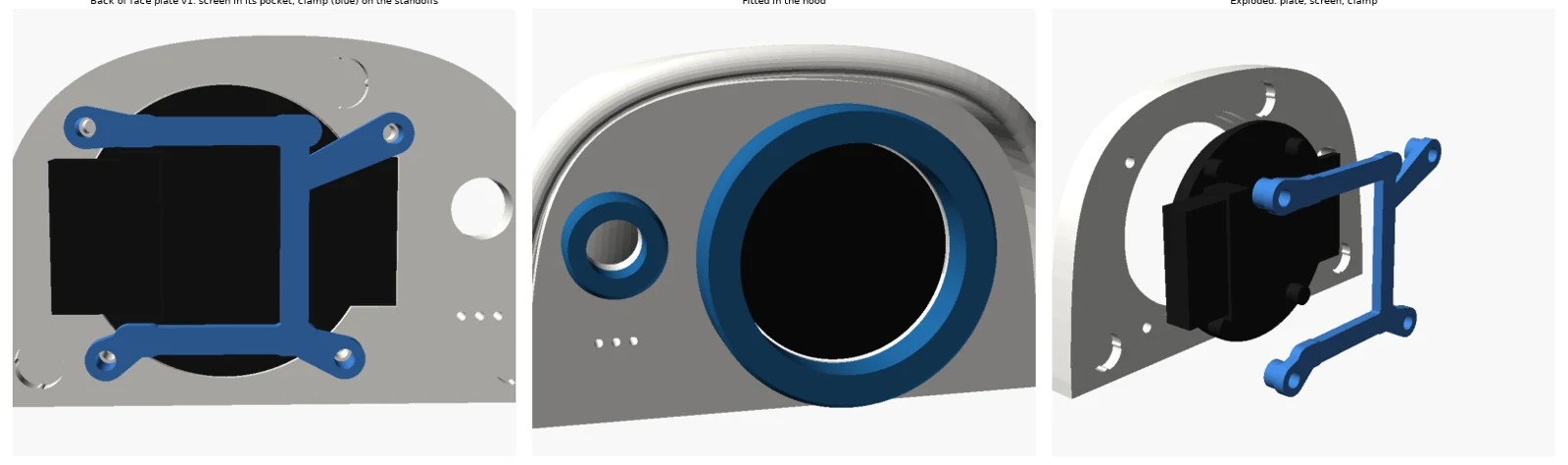
The board is Ø37.5 mm with a connector tab, the glass is Ø35.5, and it's 3.75 mm from the front of the glass to the back of the board. Face plate v1 is 5 mm thick instead of 3.2, so the whole screen sinks into a pocket in its back. The glass presses against a lip behind a 33 mm window, and a printed clamp bears on the board's four brass standoffs, held by four M2.3 screws. The clamp's legs stop 0.3 mm short of the plate, so tightening the screws pre-loads the screen against the lip.
The screen sits on its side, connector pointing away from the camera. Behind the plate only the standoffs and the connector stick out, and a map of the free space behind the face showed that's the only way round they clear the hood's ledge and magnet bosses. The picture just needs rotating 90° in software.
The camera
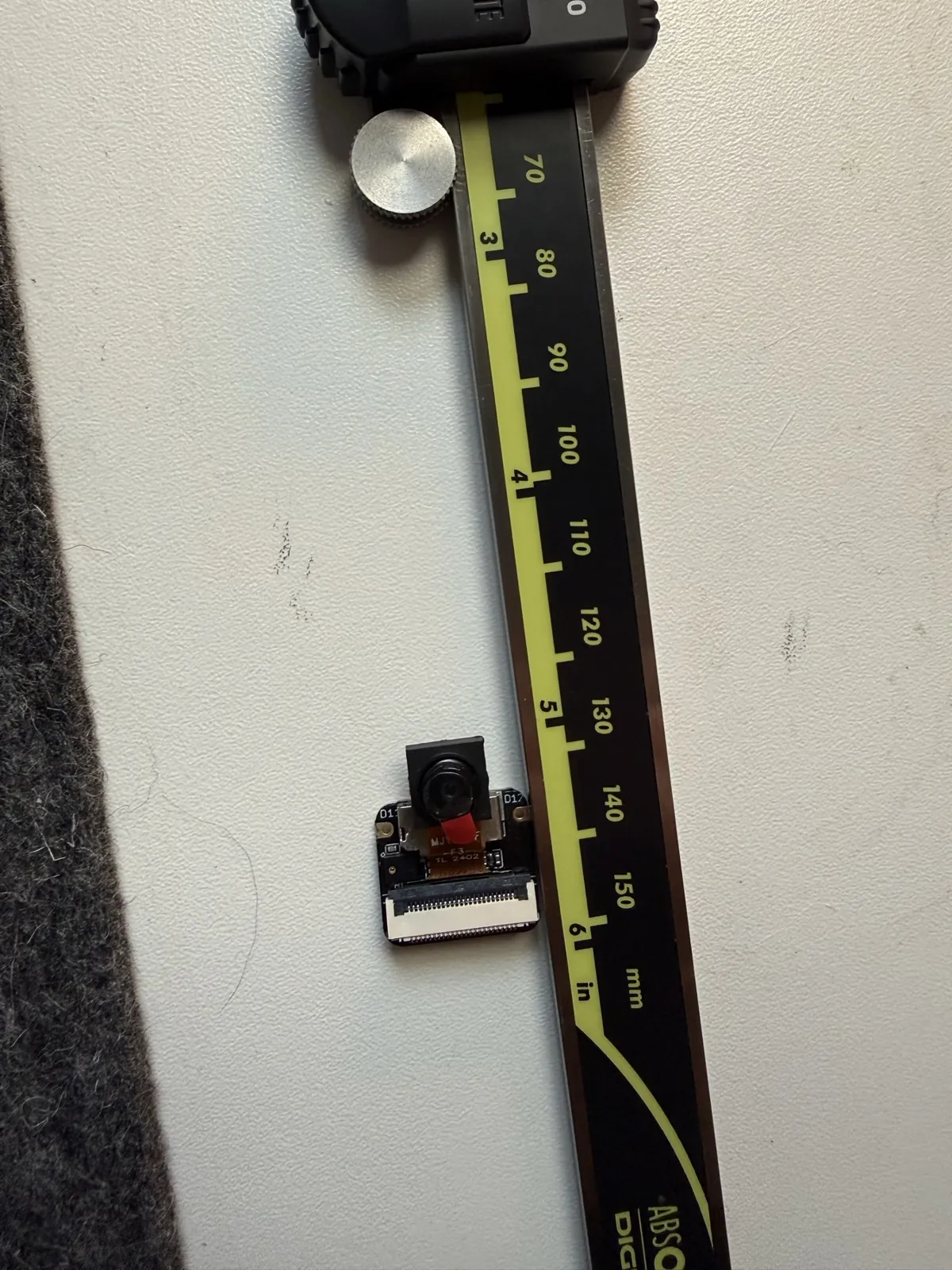
The camera hangs off the XIAO on just 6.3 mm of ribbon, so the camera and the XIAO stack are really one unit. Upright, the stack would have had under 1 mm to spare on each side. A search of every position and turn found exactly one way that fits: the stack lies on its side between the eye and the camera, and the camera moves a few millimetres from where we first drew it. That turns the camera's picture 90° too.
A small bracket slides on from behind, with a window the USB-C socket plugs into, and one screw holds it. To reprogram the XIAO, take the face off and undo that screw.
What went wrong on the way
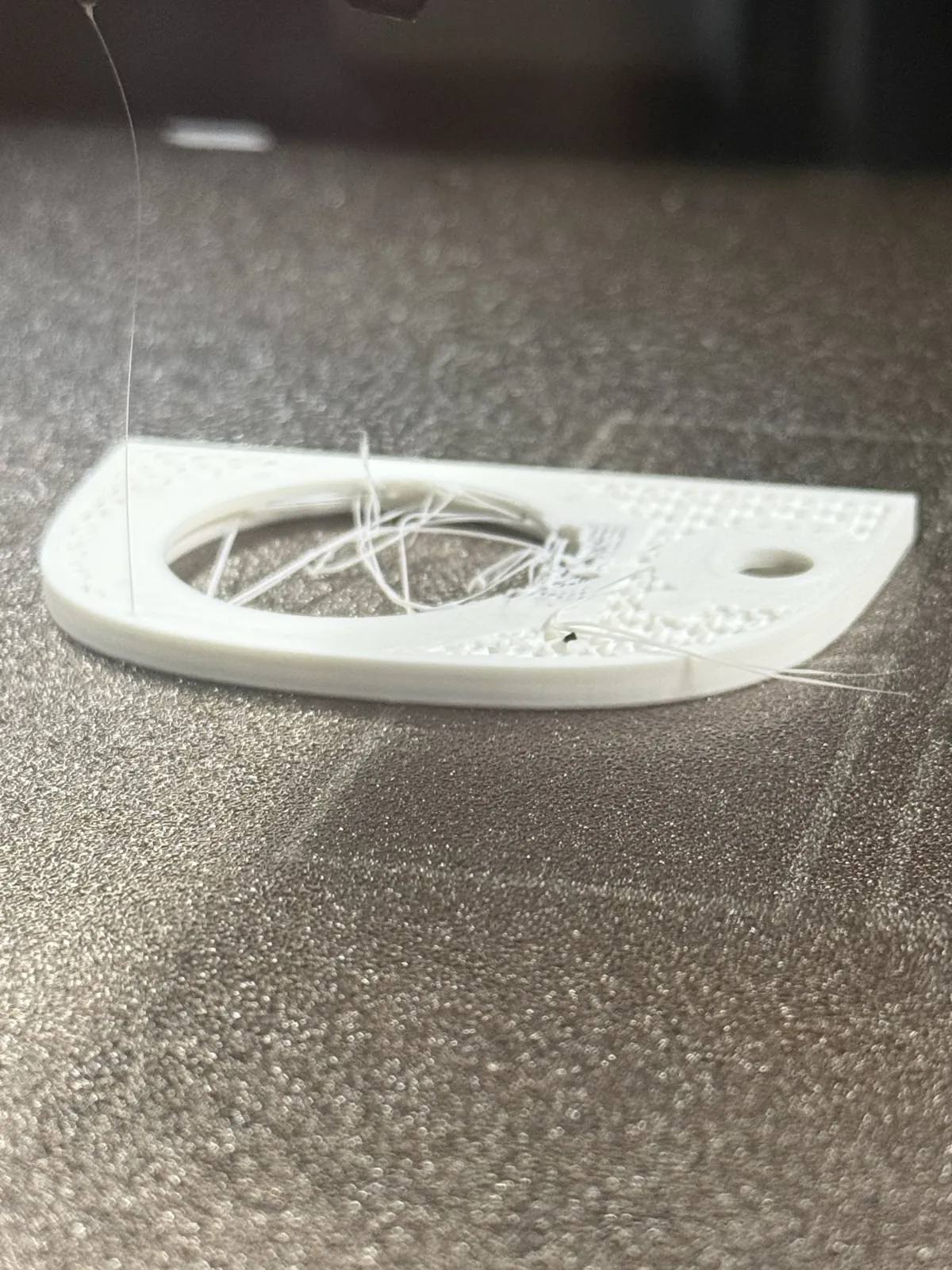
- The lip drooped. Printed back-down, the 1.25 mm lip that holds the glass was the roof of the screen pocket: a ring printed over nothing. It strung and drooped. Our own over-air check had flagged a 16 mm reach at that height, and we waved it through as something that had always been there. Lesson learned: believe the checker. The face now prints front-down, so the lip is the first layers on the bed and every pocket opens upwards. The face takes the build plate's texture as its finish.
- The tab is a wedge. We'd drawn the board's tab as a rectangle. It tapers from about 14.8 mm to about 21 mm where it meets the circle, so the pocket pinched it. The pocket follows the wedge now. Printed holes come out a little undersize, so the pockets also got more clearance: 0.45 mm a side for the board and 0.5 mm for the glass.
- The camera was 4 mm off. Its position was read from a photo where the camera lay askew. The ribbon actually runs straight down the middle of the board, so everything moved onto the centreline.
- Two rings in one. Asking the new file for its camera ring also ran the old file's camera ring, because they shared a name. The print came out as both merged. The new parts have their own names.
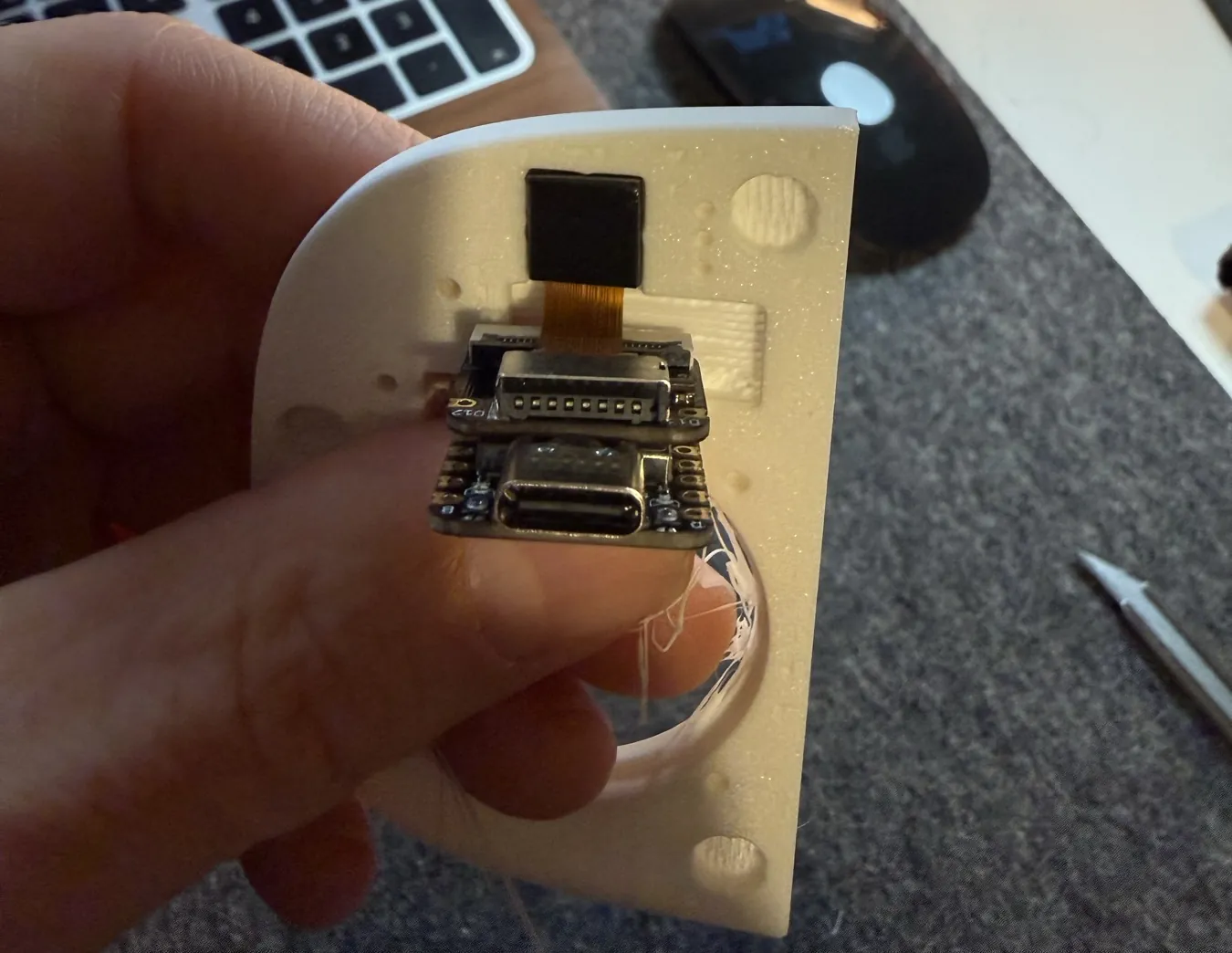
The same evening we wrote the head's firmware and a stand to run it on: Firmware for a face.