Day 8
Firmware for a face
The servos aren't here, but the head doesn't need the rest of the robot to come alive. A bench stand, firmware for the eye, camera, microphone and speaker, a small servo driver, and a ten-page guide to wiring it all up.
The Arduino UNO Q and the printed head were here; the servos, the servo test board and Luwu's driver board were all still on their way. So the plan was to get the head working on its own first, on a stand, so it's ready when the servos land.
The bench stand
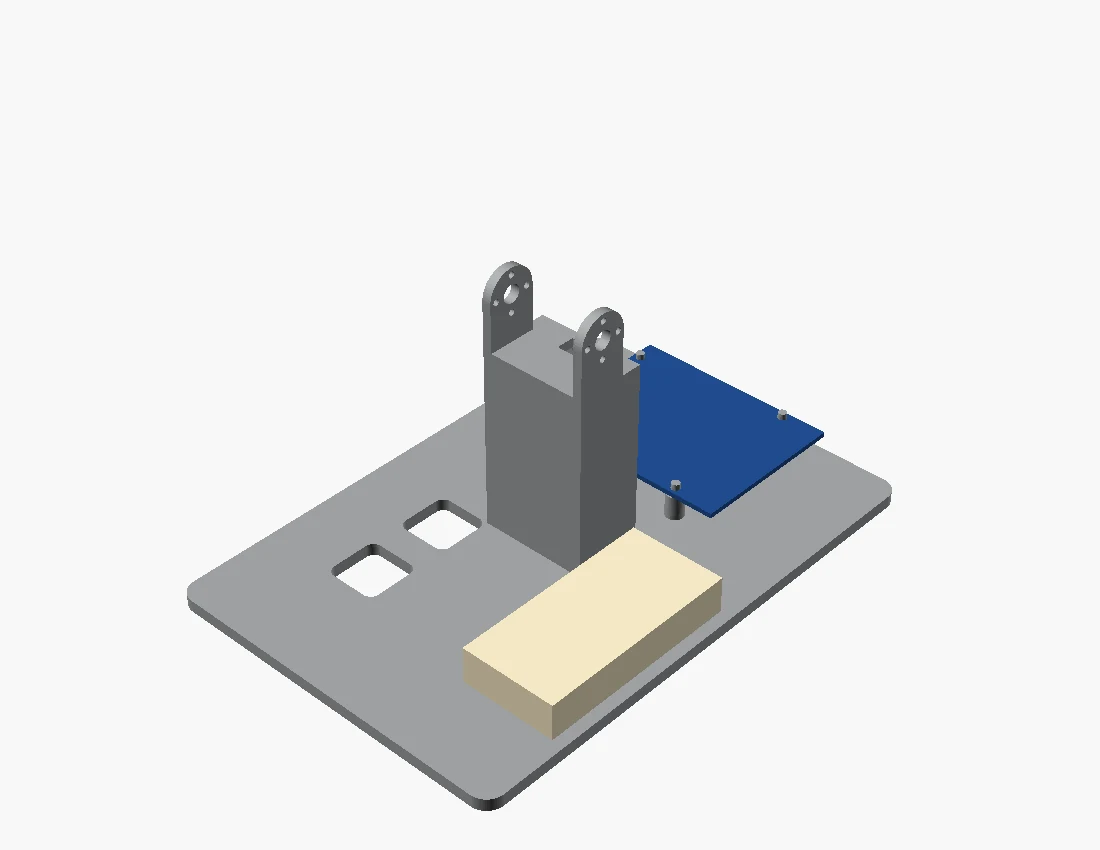
The stand (S1) holds the head and neck by the neck's bottom servo, between two ears copied exactly from the ones on the body shells: 3 mm thick, 30 mm apart, with the same hole pattern, so the same four screws a side fit. There's 15.5 mm of room under the servo's axis so it can swing right round. The base has printed pegs for the UNO Q, a pad with zip-tie slots for the servo test board, and slots at the back for the power leads.
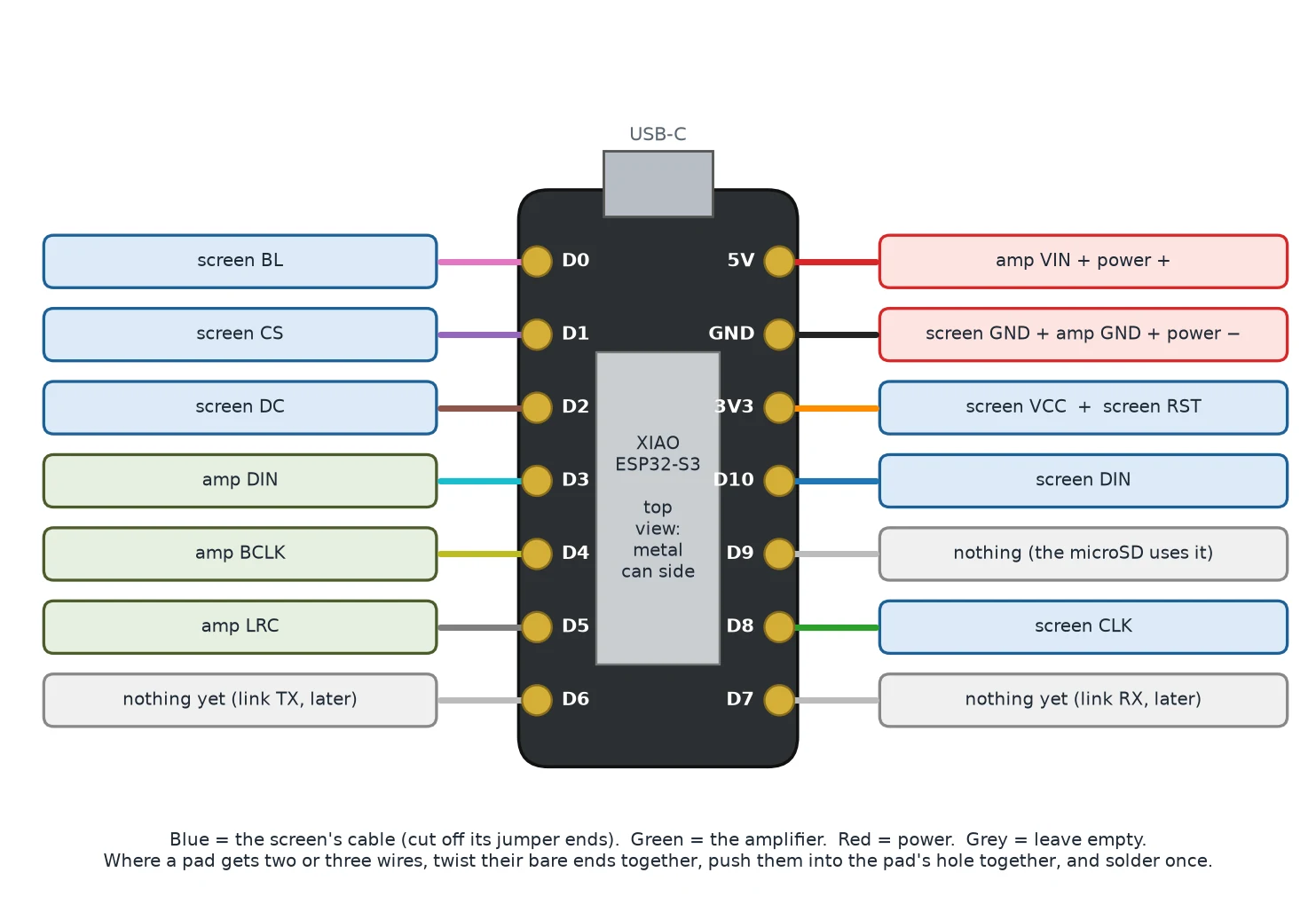
The head's firmware
The XIAO ESP32-S3 Sense in the head runs everything above the neck:
- The eye. Its own small driver for the round GC9A01 screen, using Waveshare's start-up sequence and no graphics library. The eye is drawn pixel by pixel, twenty rows at a time, with no frame buffer: an iris with fine radial streaks, a pupil, two highlights, and eyelids whose shape sets the mood. Six moods (neutral, happy, sad, angry, surprised and sleepy), plus blinks and idle glances.
- The camera streams to a web page at duck-head.local, turned the right way up in the browser because the camera sits on its side.
- The microphone and speaker run on the chip's two audio ports: it can play tones, sound files and speech, and record a few seconds from the microphone.
- Commands arrive over Wi-Fi, from the UNO Q on a two-wire serial link through the neck, or typed over USB. Updates go over Wi-Fi too, and if it can't find the home network it makes its own, called Duck-Head.
Because the screen and camera are both mounted on their sides, the screen shows an arrow with a red dot and a green dot when it starts up. That shows at a glance whether the picture needs another quarter turn or a mirror, which is one setting to change.
On the UNO Q
Three Python scripts drive the five head and neck servos through the test board:
- A small servo driver for Feetech's serial bus protocol, needing only pyserial.
- A set-up wizard that takes the servos one at a time, gives each the ID the build guide expects (10 to 14, 20 to 24 and 30 to 34) and parks it at its centre before it goes into the robot.
- A head script to wiggle one joint to find out which is which, run a short demo, follow a face with its eye and head, show an eye mood, or say something through the speaker while the beak flaps along.
The build guide only says which IDs belong to the neck and head, not which joint does what, so the joint names in the script are a first guess and every joint's movement is kept small until the real limits are known.
The guide
All of it went into a ten-page bench guide: wiring, the first upload, fitting the screen and camera, setting servo IDs, the stand, the commands and what to try when something doesn't work. The wiring and pin list are on the head's code page.
None of it has met a real servo yet. That's next.